
Your well-being matters
Health Is Wealth. Make Your Health a Priority.
Your money matters. Your time matters. And your health matters, too. OlaWell helps you organize important health information, prepare for appointments, and keep track of follow-ups — without turning your life into another list of forms.
Your health information deserves care, privacy, and control.
You make time for what matters. Make room for your health, too.
Life gets busy. Important questions can be forgotten before a medical appointment. Documents can be scattered across devices. Follow-ups can slip through the cracks.
That is not a personal failing. It is what a full life looks like. OlaWell is designed to make organizing and following through on personal health tasks easier.
- Your moneyYou plan it, track it and protect it.
- Your timeYou schedule it and guard it.
- Your healthGive it a place on the list, too.

What you can do in OlaWell today
Everything listed here is in the app now. OlaWell organizes information you add. It does not diagnose, treat or give medical advice.
Prepare for My Appointment
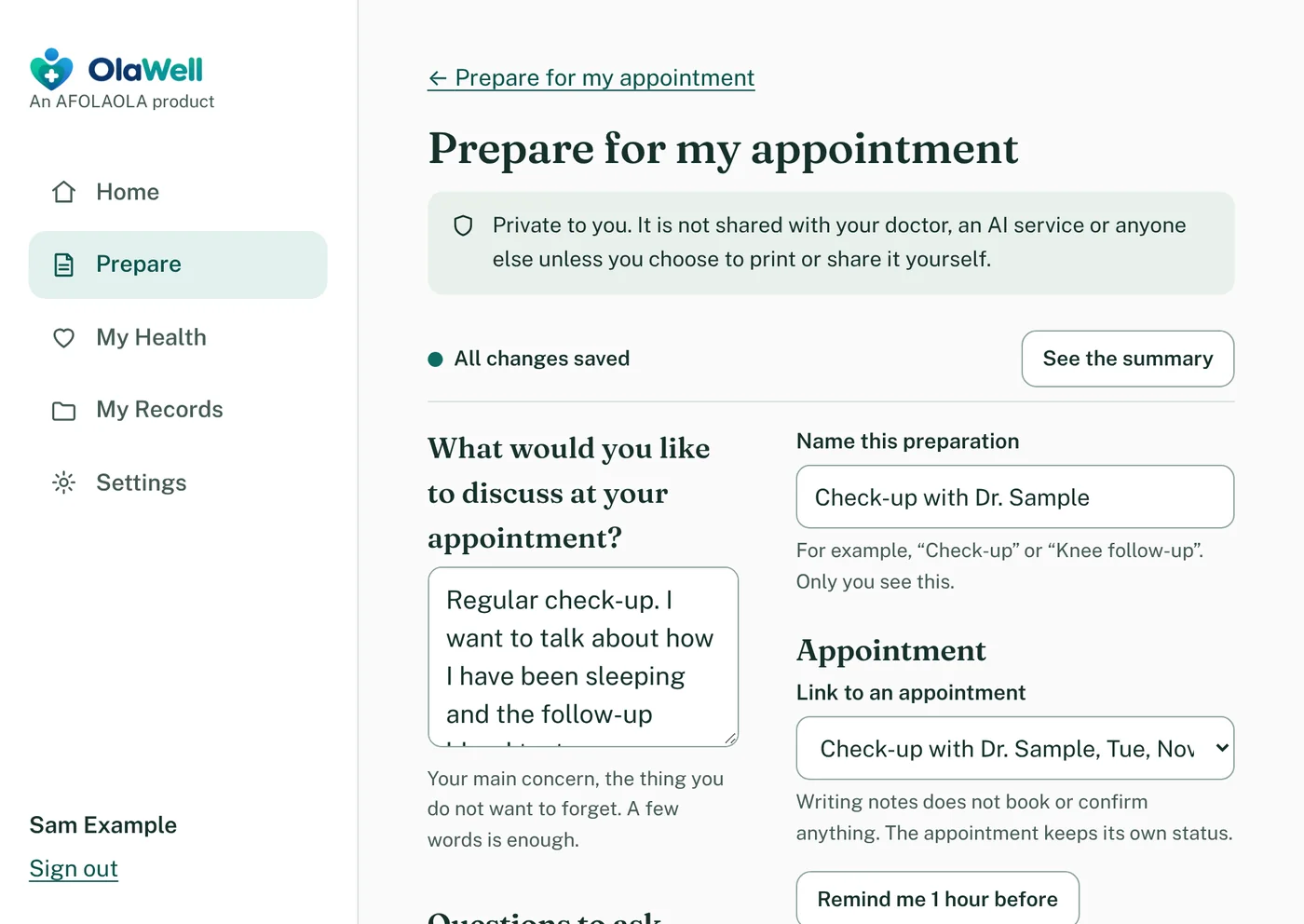
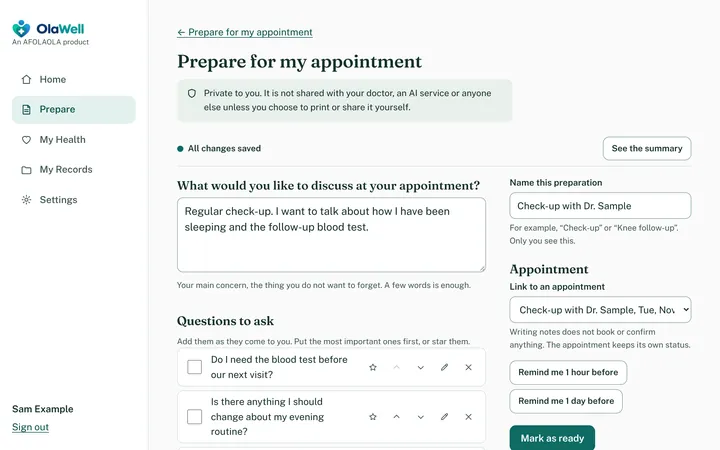
Write down what you want to discuss and the questions you want to ask. Your notes save as you type. When you are ready, OlaWell turns them into a printable brief in your own words, so you walk in knowing what you came to say. On supported desktop browsers you can also dictate instead of typing: it is off until you turn it on, it uses your browser's on-device recognizer when the browser supports it, and OlaWell never receives or keeps your audio.

Your Health Story, in Order
The timeline puts your appointments, documents, follow-ups and readings in one list by date, grouped by month, with where each came from. Filter it by type. OlaWell shows what you recorded and never judges a value.

Your Care Team, One Tap Away
Keep your doctor, clinic and pharmacy details together, with a call button and a copy-address button. Link a contact to an appointment so the number is there when you need it.

-
Keep Health Documents Together
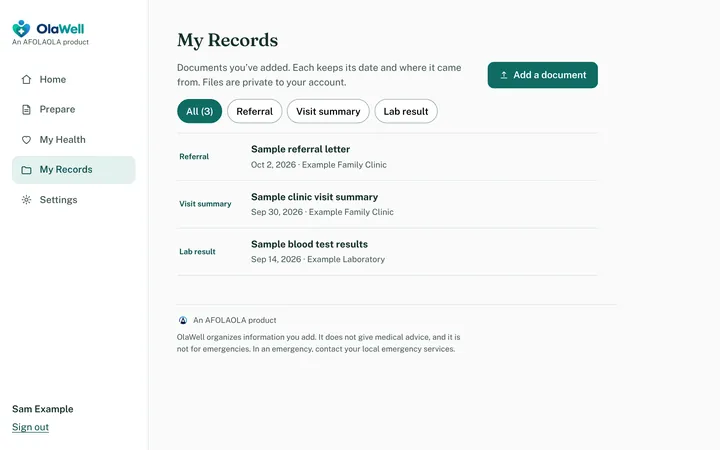
Store PDF, PNG, JPEG and text files in a private space tied to your account, each with its date and where it came from.
-
Remember the Follow-Up
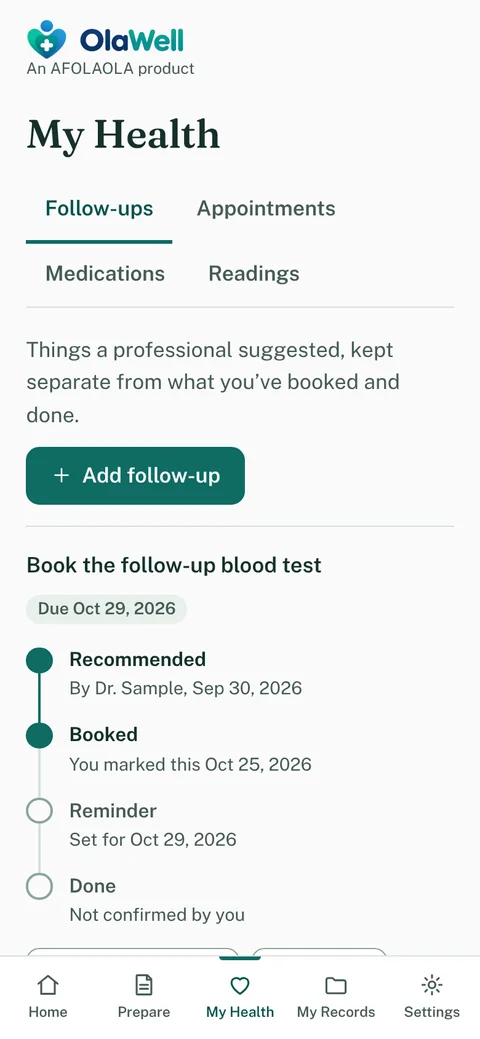
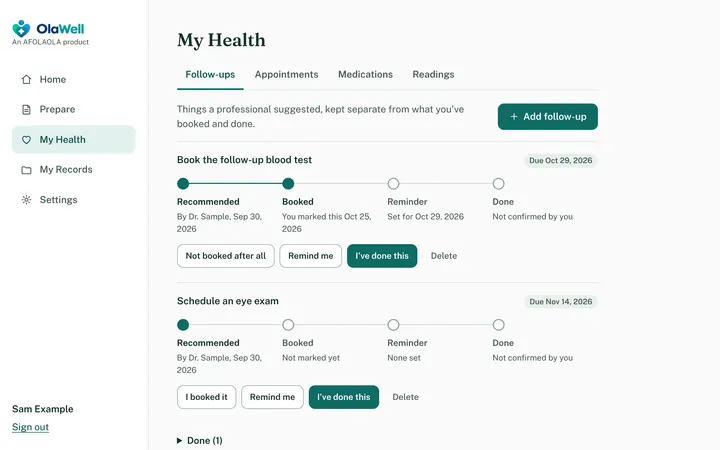
Track what a professional suggested, whether you have booked it, and when you want a reminder. A follow-up counts as done only when you say it is. Anything overdue comes with a plain-language reason, based only on what you recorded. No scores. No verdicts.
-
Your Information, Your Control
Export what you have added, or delete your account and its records, whenever you choose.
-
Find a Document in Seconds
Search your documents by title, who they are from, your notes or the file name, and sort them by date, title or when you added them. OlaWell searches what you typed about a document, not what is inside the file, and your search words are never put in a web address.
-
Keep Your Care Team Close
Save the phone number, address and notes for your doctors, clinics and pharmacies, and attach one to an appointment. Tap to call, or copy an address. OlaWell never opens a map or contacts anyone for you.
-
A Summary You Choose and Print
Pick what to include, such as upcoming appointments, medications, open follow-ups, latest readings and your care team, then print it or save it as a PDF. It repeats what you recorded and says where each item came from.
-
Optional Email Reminders
Reminders always appear in the app. If you choose, OlaWell can also email you when one is due. The email says only that an appointment or follow-up needs your attention, and when. It never includes titles, names, places, medicines or notes. It is off until you turn it on.
-
See Where You Are Signed In
Check which browsers and devices are signed in to your account and sign out any one of them. OlaWell keeps only a general description, such as “Chrome on Windows”, not your network address.
-
Make It Easy to Read
Choose larger text and stronger contrast, in light or dark. The choice stays in your own browser and is not sent to OlaWell.
Organize. Prepare. Follow through.
Three steps, in your own time. No technical setup, and nothing connects to your health providers behind the scenes.
-
1 Organize
Bring your documents together and add them with the date and where they came from.
-
2 Prepare
Record the questions and details you want to discuss at an appointment.
-
3 Follow Through
Keep track of your next steps and confirm when tasks are completed.


Everything in OlaWell comes from what you add yourself. It does not import from hospitals, health records systems or other health apps.
Keep OlaWell one tap away.
Add OlaWell to your home screen or desktop and open it like any other app: full screen, with no app store needed.
It is the same private account, and it still needs an internet connection. Installing does not save your health records on your device.
iPhone or iPad
In Safari, tap Share, then Add to Home Screen, then Add.
Android
In Chrome, open the menu (the three dots), then tap Install app or Add to Home screen.
Windows, Mac or Linux
In Chrome or Edge, click the install icon at the right end of the address bar, then choose Install.
Your health is personal. Your information should be treated that way.
Here is what OlaWell does today. We would rather be specific than sweeping.
Other accounts cannot see your records
Every request is checked against your account, and automated tests confirm that one account cannot read another’s.
Passwords are never kept in readable form
They are stored as salted one-way hashes. Settings lets you sign out other devices.
Documents stay private
Uploaded files are not served from a public address. They can be downloaded only while you are signed in.
No ads, analytics or trackers
OlaWell loads no third-party scripts. Its pages and fonts come from OlaWell itself.
Your notes stay out of web addresses
Your preparation notes are kept out of page addresses, activity records and server logs.
We do not sell or pass on your information
OlaWell does not sell your information or send it to your doctor or an AI service. The hosting providers that run OlaWell process it for us, and the Privacy Policy names them. You decide what to print. Voice entry stays off unless you choose it.
You hold the controls
Export what you have added, or delete your account and OlaWell removes your records and files from its live systems. Copies in backups are not erased on request and age out later.

A healthier part of a bigger picture.
AFOLAOLA builds practical digital solutions to help people and businesses manage everyday needs more effectively. OlaWell brings that purpose to personal health organization.
Our time, money, work, and ambitions all matter. Looking after our health helps us make the most of them.
OlaWell is built by AFOLAOLA’s founder, who has worked in health informatics and data analysis for more than six years. That background shapes the product’s focus on clear information and careful handling of it. It does not make OlaWell medical software: OlaWell organizes what you add, and it does not diagnose, treat or advise.
A product of AFOLAOLA — Global Digital Solutions · Visit the AFOLAOLA website (opens in a new tab)
Your health deserves a place on your priority list.
Start building a more organized approach to your health information, appointments, and follow-ups with OlaWell.